Dark Theme and Checksheet Photos
With 2025 coming to a close, we’re excited to share our final major update of the year—and it’s a big one! We’d also like to thank you for all your support throughout the year, especially everyone who helped test the new user interface and provided valuable feedback.
Dark Theme
Our first major feature update is the Dark Theme. This changes the entire look of MechanicDesk to a dark mode, similar to the themes available in most modern web browsers.
To enable it, click the User icon in the top-right corner of the screen, select Theme, and then choose Dark Theme.
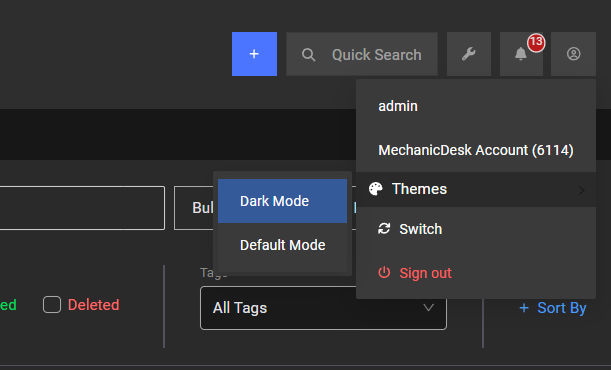
This will also remember the theme you choose on that browser so the next time you log in it will still be selected. Check out what it looks like below.
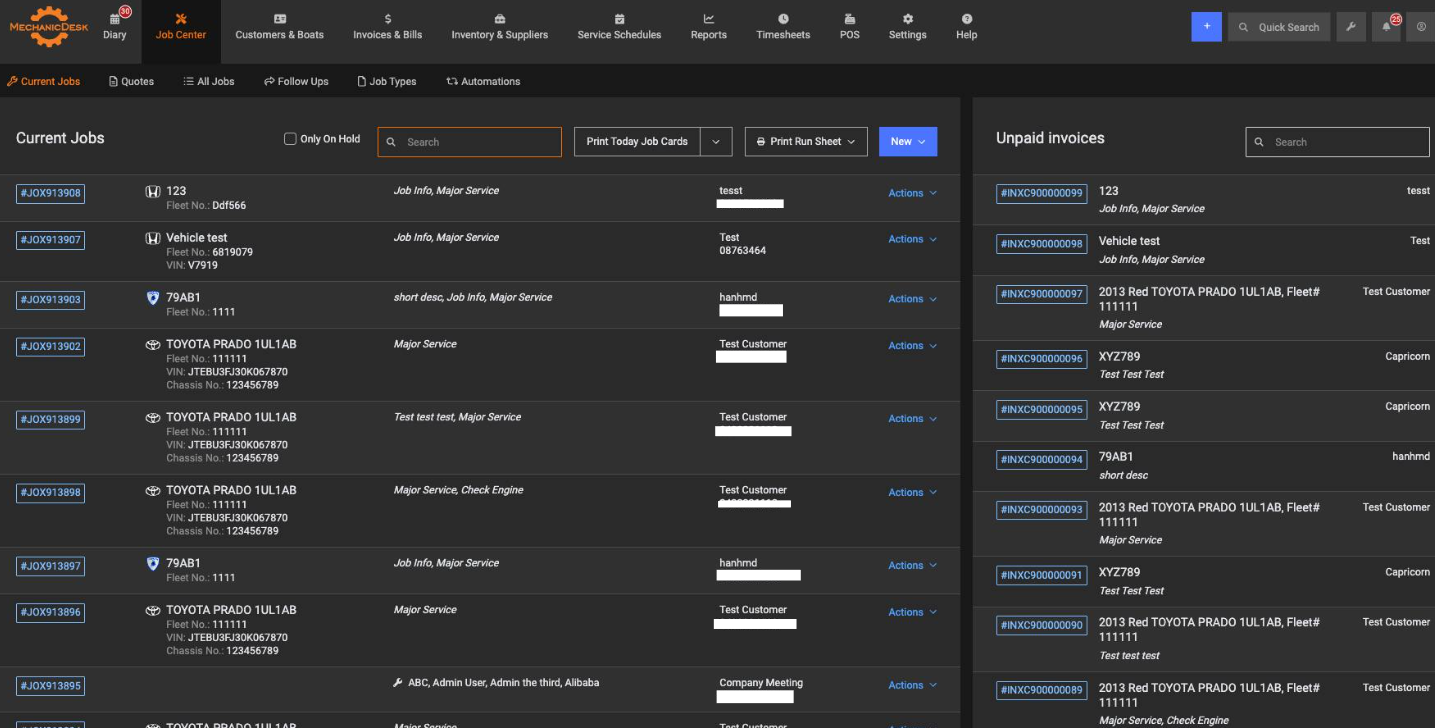
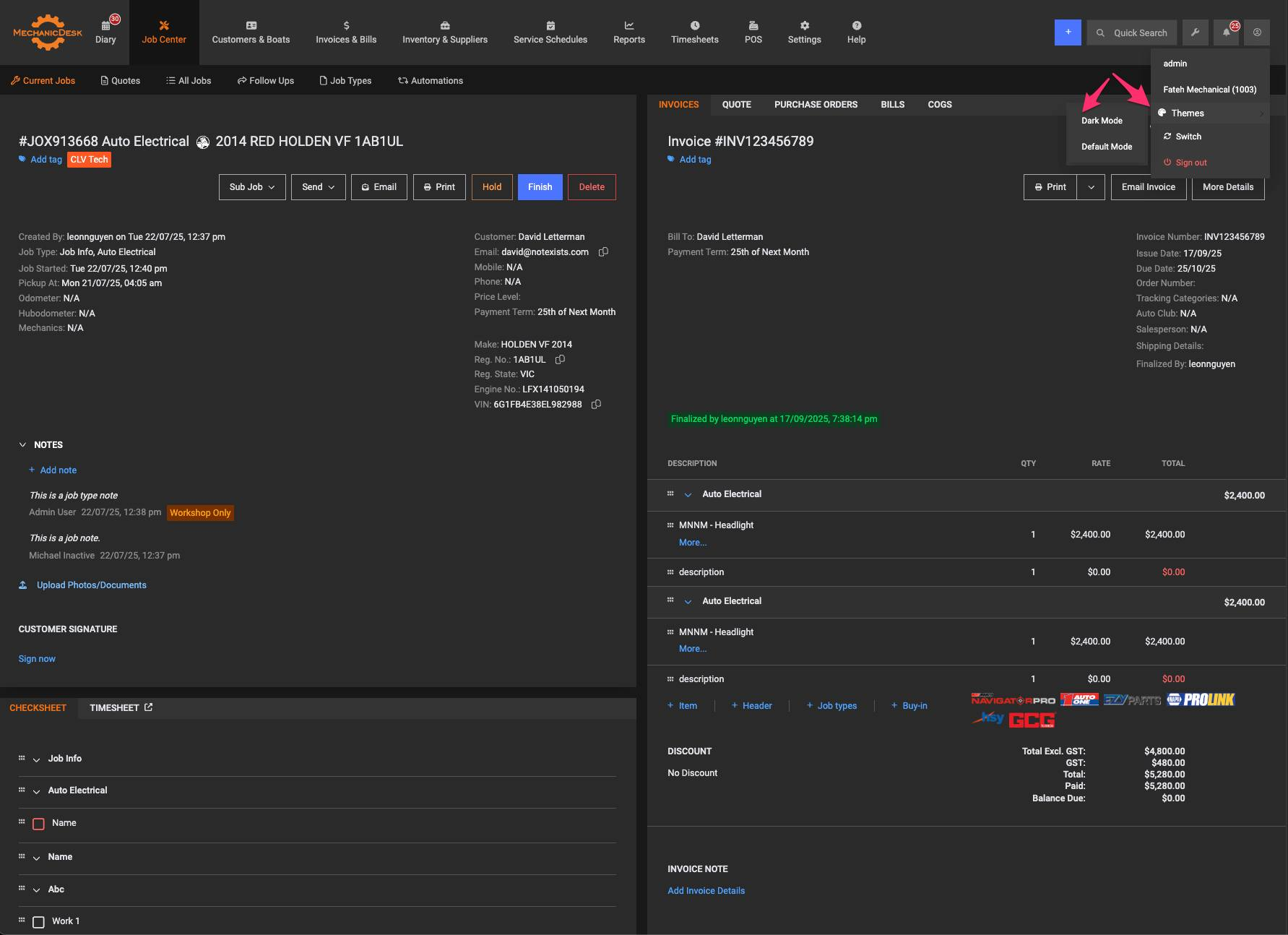
Just a quick note on this as well, it is only available in the New UI
Photos / Upload on Checksheet
The second major feature we have added this update is the ability to upload photos directly to the checksheet. This is available on both the new and old UI.
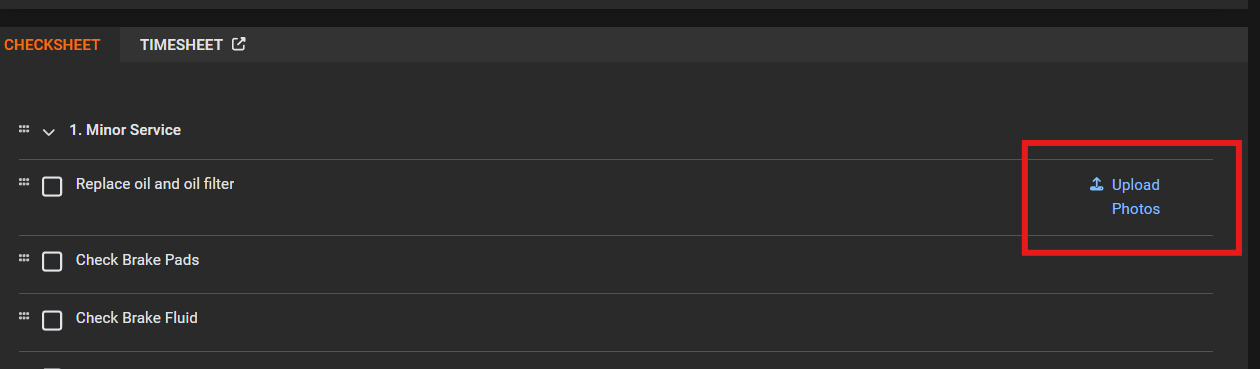
You can upload files to both the Headers or the Checksheet items, allowing you to highlight certain problems or provide overviews of issues with your images.
We will soon be deploy this to the app as well.
End of Year Support and 2026
Over the holiday period we will also still be here if you need any support. We only close for the main public holidays. We have big plans for more updates for 2026 so keep an eye on this space. Again thank you for your on going support, Merry Christmas and Happy New Year from the MechanicDesk Team!